TapScribe · My own product
The situation
Private conversations.
A disconnected process.
A coach wanted to record and transcribe client sessions without sending them to a cloud service. The workflow involved QuickTime, audio extraction and a local Python script running Whisper. It worked, but every session meant several manual steps.
01 · Record
QuickTime
Record the conversation.
02 · Prepare
Audio file
Extract and move the audio.
03 · Transcribe
Python + Whisper
Run transcription locally.
Workflow design · Native Mac app · Audio capture · Local transcription
How I helped
I brought the steps
into one Mac app.
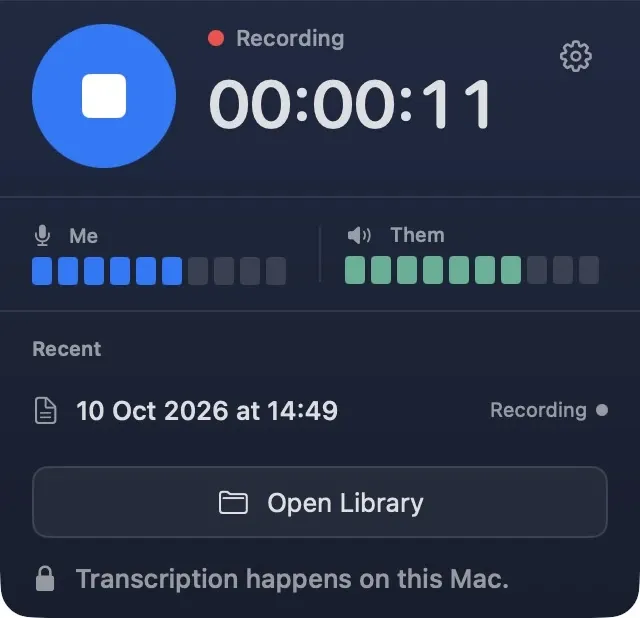
I built TapScribe to record microphone and Mac audio, then transcribe it locally. The coach can start recording before or during a meeting, even when they aren’t the host.
01 · Record
Both sides of the conversation
Microphone + Mac audio
02 · Transcribe
On the Mac
No cloud transcription
03 · Keep
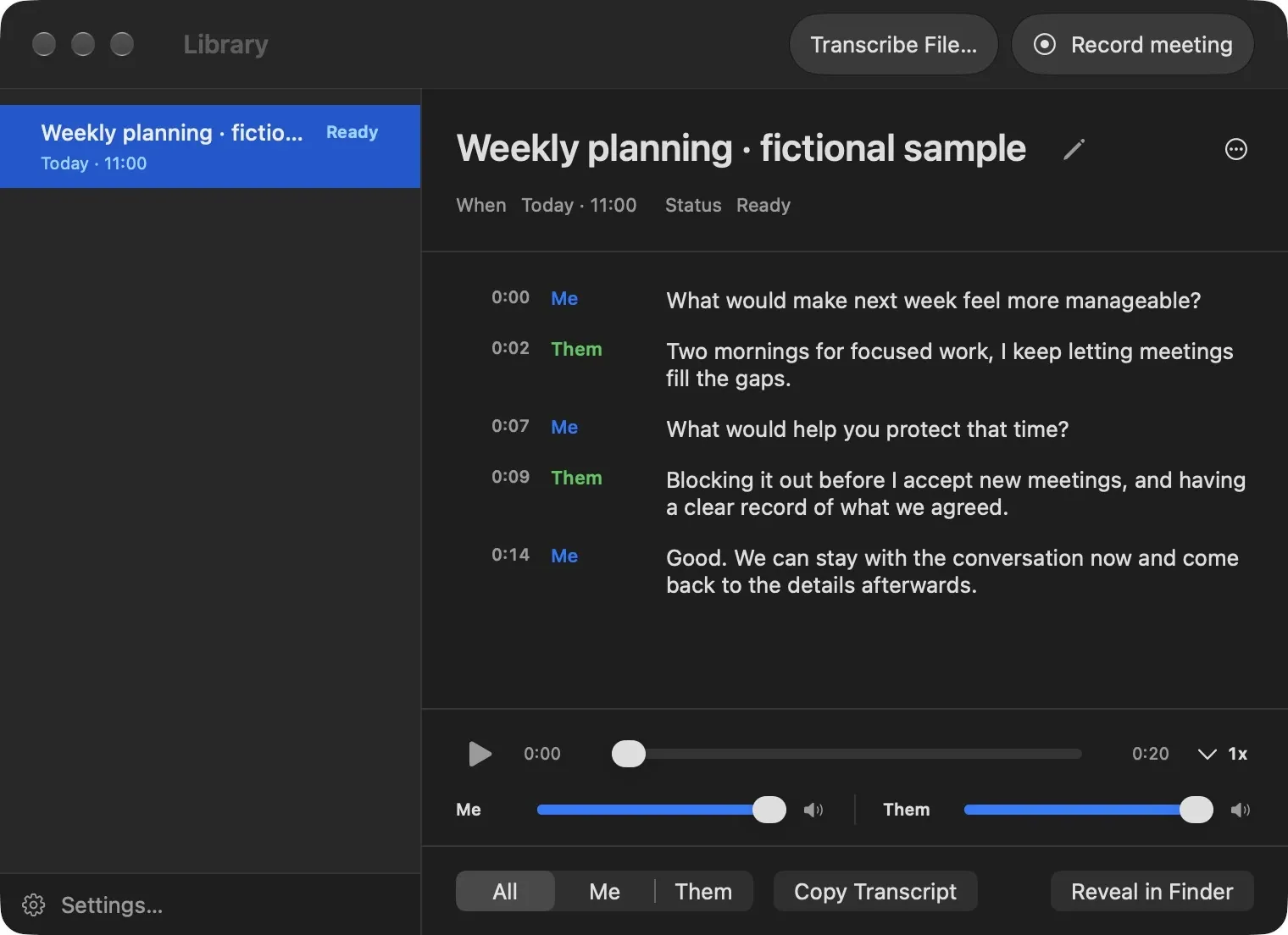
One local Library
Recording + transcript
Workflow design · Native Mac app · Audio capture · Local transcription
What changed
Fewer steps.
Recording and transcript together.
Recordings and transcripts are kept together in the app, ready to find and use. Recording and transcription happen on the Mac. Sharing a transcript with another AI service is a separate choice.
Workflow design · Native Mac app · Audio capture · Local transcription