· 6 min read
Why FluidVoice Has Become Part of How I Work
James Godwin
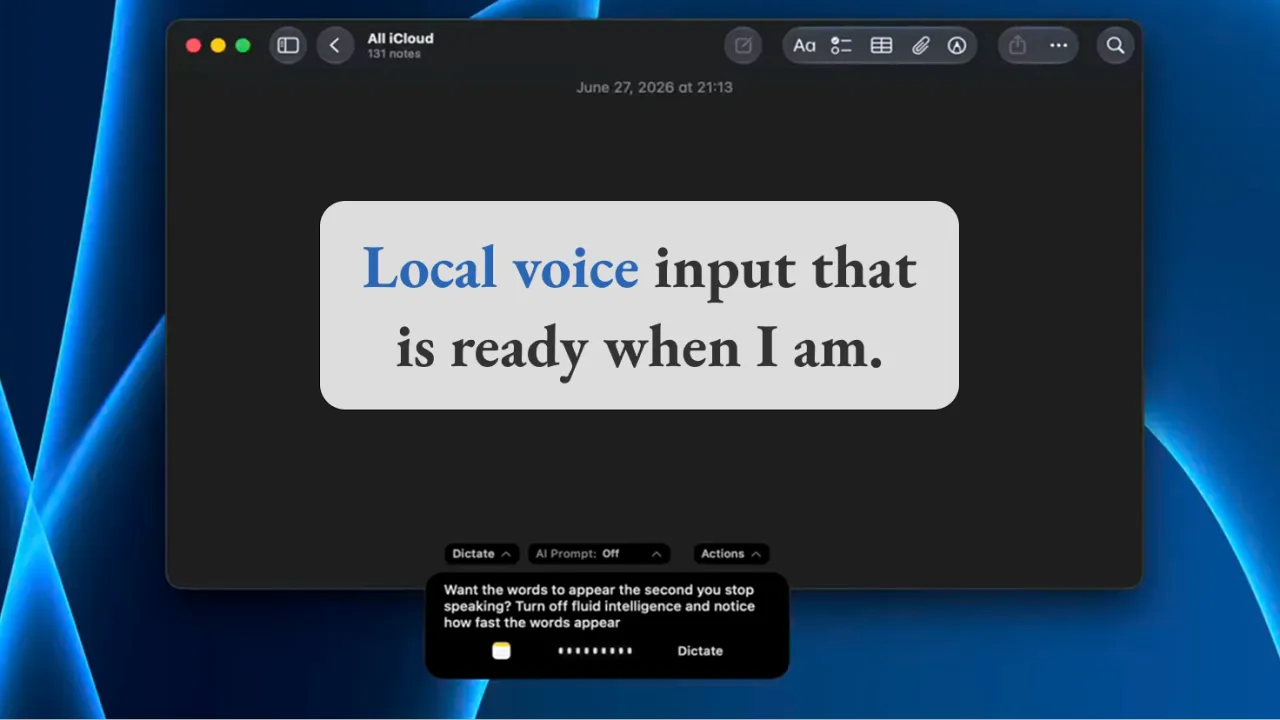
I was sitting in my car with a thought I wanted to capture. I was safely stationary, but typing on a laptop in that setting was awkward enough that I could feel the thought starting to move away before I had written it down.
I pressed the shortcut for FluidVoice, spoke naturally, and watched the words appear in a small heads-up display. When I stopped, the text landed in the field I was already using. The language was clean, the formatting was sensible, and I did not have to move the thought through a second application before I could use it.
That small moment explains why FluidVoice has become part of how I work. It is not simply that the transcription is accurate. It is that the distance between having a thought and getting it into the right place has become short enough that I actually use voice input regularly.
Apple’s built-in dictation has been available to me for years, and it works. Yet I rarely built it into my normal workflow. Starting it inside a text field often felt just slow or uncertain enough to interrupt the moment. The issue was not whether the feature could transcribe my speech. The issue was whether I trusted it to be ready before the thought moved on.
That is an easy distinction to miss when evaluating software. We often compare tools by the quality of their output and overlook the friction required to begin. A feature can be technically capable and still remain unused because activation asks for too much attention at exactly the wrong moment.
FluidVoice reduces that activation cost for me. A global shortcut starts capture without requiring me to switch applications. The compact overlay gives me enough feedback to know that the tool is listening. When I finish, the result is inserted into the active text field, which means I can keep working where I already was.
This matters most in thought-heavy work. When I am reasoning through a product decision, shaping an article, preparing a message or working out what is wrong with a workflow, the first version of the thought is rarely tidy. I pause, change direction, correct myself and speak in fragments. A useful voice tool has to tolerate that mess without making me manage the tool at the same time.
The quality of the resulting text has been one of the pleasant surprises. FluidVoice can turn my natural speech into language that needs very little repair. It handles much of the punctuation, capitalisation and structure that normally makes dictated text feel like raw material rather than something I can immediately work with.
I still review what it produces. Voice transcription can misunderstand a word, a name or a technical term, and polished text can make an error look more trustworthy than it is. The benefit is not that human review disappears. The benefit is that I begin with a strong working draft while the thought is still alive.
My use has also moved beyond short dictation. I have dropped a meeting video into the version installed on my Mac and used it to produce a transcript. That turns the same local tool into a useful bridge between spoken material and the written work that follows, whether that is reviewing a conversation, extracting decisions or preparing a clean summary.
I am deliberately describing what I have used rather than presenting a universal list of supported media formats. Those details change as the application develops, and different recordings can bring different constraints. What matters in my workflow is that a piece of spoken material can become searchable, reviewable text without first requiring a separate cloud transcription service.
The local-first design is an important part of the attraction. With a local speech model, dictation can be processed on the Mac and can keep working offline. That matters when the words are personal, commercially sensitive or simply not something I want to send to another service by default.
Local-first does not mean every possible FluidVoice configuration is automatically private. The application supports optional cloud providers, including OpenAI, Groq and custom providers. If privacy is the requirement, those choices still need attention. A tool cannot make a workflow safer when the user enables a route that sends the material elsewhere without understanding the consequence.
There is another useful distinction in the product. FluidVoice itself is free and open source under GPLv3. Its optional Fluid Intelligence runtime provides local post-processing for formatting and context, but the project currently describes that runtime as separately maintained and private. I value the fact that the core application is inspectable, while also recognising that local execution and open source are not the same claim.
This kind of precision matters because privacy language can easily become theatre. A product can say that it is local while quietly depending on a cloud step for the part people value most. The more useful question is practical. Which parts run on the machine, which parts can call an external provider, what has been enabled, and what material is moving through the workflow?
The current FluidVoice documentation also says the application does not collect voice, raw audio or transcribed text through its anonymous analytics. Analytics can still be a separate setting worth checking, especially in a business environment. A safer workflow comes from understanding the configuration rather than relying on a reassuring label.
For a small business or independent professional, the practical value is not voice input for its own sake. It is reducing the loss between thinking and recording. A useful observation can be captured before it dissolves. A rough explanation can become the first draft of a client note. A meeting recording can become text that is easier to review, search and turn into actions.
The same benefit applies to accessibility and energy. Typing is not always the best interface. Hands may be occupied, the setting may be awkward, or a person may simply express a complex thought more clearly by speaking it through before editing it. Voice input becomes more useful when it is treated as another reliable route into the work rather than as a novelty bolted onto it.
There are trade-offs. FluidVoice currently requires a modern version of macOS, microphone permission and accessibility permission so that it can insert text into other applications. Speech models differ in language coverage, speed and hardware requirements. Local processing also uses the machine’s own resources, which means the best choice will depend on the Mac and the kind of work being done.
None of that changes the reason it has stayed in my workflow. The tool is available at the moment I need it, gives me clear feedback, keeps me in the application I am already using, and lets me choose a local path when I do not want spoken material leaving the machine.
The best software often earns its place this way. It does not ask to become the centre of the workflow. It removes enough friction from a real moment that using it becomes easier than working around it.
That is what FluidVoice has done for me. It has made voice input feel less like a feature I ought to remember and more like a natural extension of how I think, capture and work.
If you have tried voice input before and stopped using it, was transcription quality really the problem, or was the tool simply not ready at the moment the thought arrived?
FluidVoice product page: https://altic.dev/fluid
FluidVoice source repository: https://github.com/altic-dev/FluidVoice