· 6 min read
Chrome's Most Annoying Feature Is Trying to Help Me
James Godwin
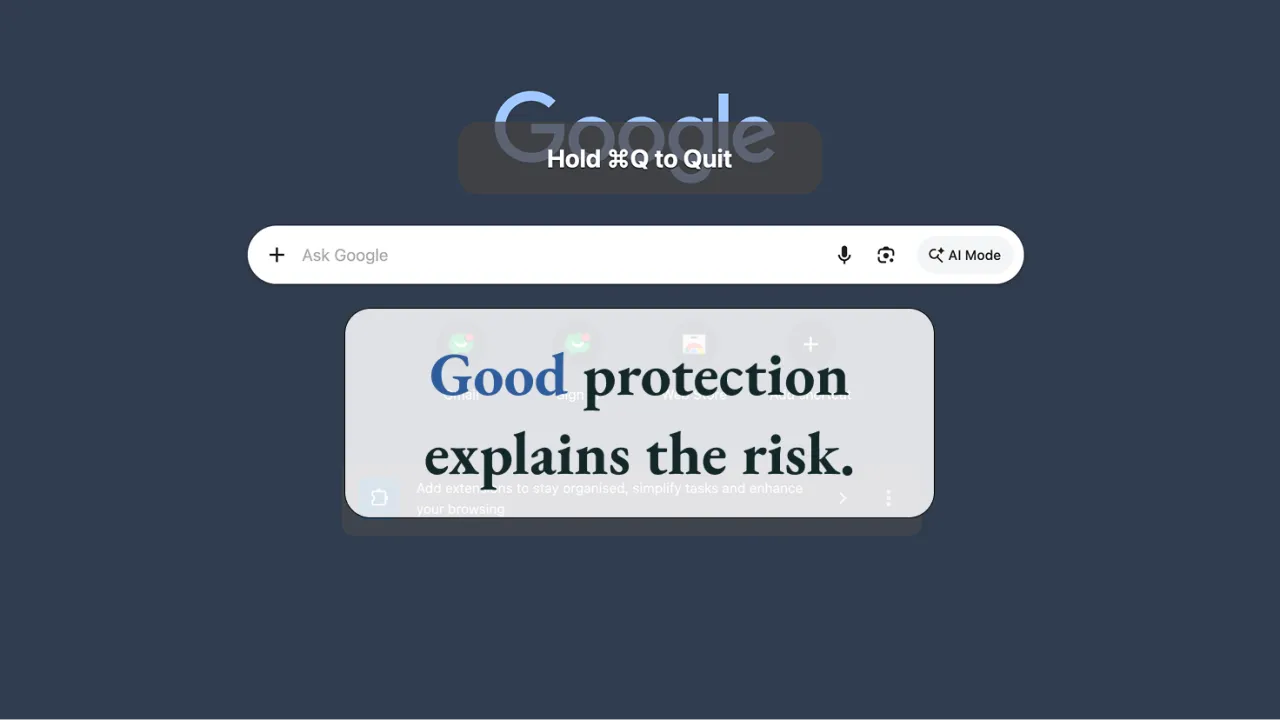
Chrome has a small feature on macOS that has irritated me for years. Press Command-Q to quit, as you would in almost any Mac application, and Chrome does not immediately obey. It asks you to hold the keys down for a long press.
The feature is called Warn Before Quitting, although it does not really warn you. It delays you. In the Chrome installation I was using, it was enabled without me choosing it, so a familiar system command had quietly acquired a different meaning inside one application.
I understand the problem Chrome is trying to solve. Command-Q sits close to Command-W, and a person moving quickly can quit the whole browser when they meant to close one tab. If dozens of tabs are open, or a piece of unsaved work is sitting inside one of them, that mistake can be costly.
That is a legitimate design problem. The frustrating part is the solution.
Command-Q has an established meaning across macOS. It is part of the platform’s interaction language, not a Chrome-specific invention. When an application changes that meaning by default, it places the cost of its protection inside behaviour the user already understands.
Chrome makes that cost unusually visible because the interaction does not provide any new information. I press Command-Q because I want to quit. Chrome responds by asking me to continue pressing the same keys for longer. Nothing about the delay tells me whether there is anything meaningful to protect.
If Chrome believes I may lose something, I want it to tell me what is at risk and let me decide. That is how sensible applications handle unsaved work. They do not simply make the save or quit command physically slower and hope the extra second produces wisdom.
The inconsistency makes the design stranger. On my Mac, the hold-to-quit protection appeared when I used Command-Q inside Chrome, but quitting from the Dock or the macOS application switcher remained immediate. The supposed protection was attached to one input method rather than to the consequence of quitting.
That distinction matters. If the risk is lost browser state, the protection should care about browser state. It should not care whether the quit request arrived through a keyboard shortcut, a menu, the Dock, or another familiar Mac route.
The current approach is a little like putting a guardrail on one entrance to a dangerous path while leaving the other entrances open. It may reduce one common accident, but it does not create a coherent safety system. It creates an exception that users have to remember.
Modern browsers can restore a surprising amount after they reopen. Ordinary tabs and windows often return, which means quitting is not always the destructive event the feature implies. At the same time, some things may not return cleanly, including text in an unsaved form, incognito tabs, an active download, or the live state inside a browser-based terminal or application.
That difference gives Chrome enough information to make a better decision. Most quit requests could remain immediate because the browser has nothing unusual to protect. When meaningful non-restorable state exists, Chrome could show a conditional confirmation that explains the consequence.
The dialogue does not need to be complicated. It could say that quitting will close an incognito window, interrupt an active download, or discard unsaved form content where that state can be detected. The choices could remain familiar: Cancel and Quit Chrome.
The goal would not be to inventory a person’s private browsing activity in a warning box. A careful design could use restrained categories and counts rather than revealing page titles or sensitive content. The important change is that the friction would be tied to actual risk and would help the person make a more informed decision.
People who prefer the current hold-to-quit behaviour could still enable it. That is a reasonable personal safeguard, especially for someone who often confuses Command-W and Command-Q. The problem is making it the unexplained default and then applying it only to one way of quitting.
The preference can be changed, but discoverability is part of the design. Until a person knows that Chrome has its own quit behaviour, they may assume the keyboard is misbehaving or that macOS has changed. The setting becomes easy to find only after the user has correctly diagnosed a product decision they did not make.
Defaults deserve more scrutiny than optional features because most people do not audit every preference before using an application. A default becomes the product’s opinion about normal behaviour. If that opinion overrides a platform convention, the benefit needs to be strong, consistent and obvious enough to justify the extra learning it imposes on everyone.
There is also a difference between protecting beginners and taking agency away from experienced users. Good defaults can help both when they respond to real state. A blanket delay assumes the same risk every time, while a conditional warning can protect a new user without repeatedly interrupting someone whose work is already recoverable.
This is a small browser annoyance, but it points towards a broader product-design problem. Teams often add friction in the name of protection without asking whether the friction improves the decision. An extra click, a disabled button, a forced wait, or a confirmation step can feel responsible simply because it slows the person down.
Delay and safety are not the same thing. A protective interaction earns its place when it reveals consequence, preserves meaningful work, or gives the user a chance to correct a high-cost mistake. When it merely obstructs a familiar action, people learn to push through it without thinking.
That learning matters because repeated warnings become part of the background. If every quit request receives the same resistance regardless of what is open, the interaction loses its ability to signal real danger. The user is trained to complete the gesture rather than to evaluate the state.
The same pattern appears in business software. A confirmation dialogue asks whether someone is sure, but does not explain what will change. A workflow blocks progress because one field is missing, but does not show why the field matters. A system prevents deletion without clarifying which dependent records or people will be affected.
These designs protect the application from blame more effectively than they protect the person from harm. They can prove that a warning occurred, but they do not necessarily improve understanding. The burden remains with the user, who has to interpret vague friction while trying to complete the work.
Good protection is consequence-aware. It appears when the cost is meaningful, describes the threatened state clearly, and offers choices that match the person’s intent. It is also consistent. The same consequence receives the same level of protection regardless of which valid route produced the action.
Bad protection is gesture-aware. It intercepts a particular click or shortcut because that is the easiest place to add a rule. It can make a product feel safer in a design review while leaving the underlying risk untouched.
This is why I keep returning to Chrome’s hold-to-quit feature. The browser is trying to help. The team behind it recognised a real mistake with potentially frustrating consequences. Yet the solution turns protection into a test of persistence rather than a moment of understanding.
The best safeguards do not treat every user as careless or every action as dangerous. They preserve normal flow until something genuinely deserves attention. Then they explain enough for the person to choose well.
Good protection informs the user. Bad protection merely obstructs them.
Where in your own product are you adding friction because something is genuinely at risk, and where are you simply making a familiar action harder?